Retrieving Your API Key
To retrieve your API key for your account, follow these steps:
Navigate to the Developer page
In the sidebar, click on
 Developer
to access the Developer Tools page.
Access API Keys
Once on the Developer page, you'll see the API Keys tab. Click on it to view your API key management section.
View your API key
Your API key will be displayed in the API Key Management section. You can:
- View the masked API key
- Click the eye icon to reveal the full key
- Click the copy icon to copy the key to your clipboard
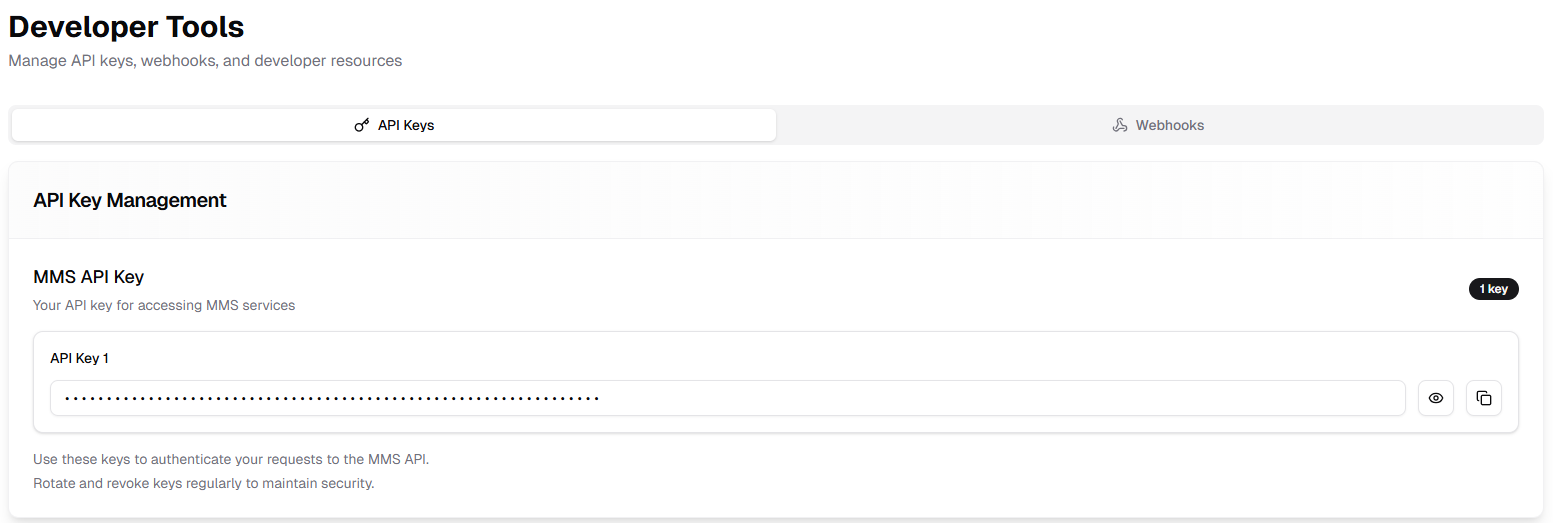
Security Note: Keep your API key confidential and never share it in client-side code or public repositories. Rotate and revoke keys regularly to maintain security.
Using Your API Key in the SDK
Pass your API key to the SDK when you initialize it, along with a KoardOptions value that selects the environment and logging level:
import KoardSDK


let options = KoardOptions(
environment: .uat,        // .uat | .production | .custom(String)
loggingLevel: .debug      // .none | .error | .warning | .debug | .verbose
)


KoardMerchantSDK.shared.initialize(options: options, apiKey: "your-koard-api-key")
environmentaccepts.uat,.production, or.custom(String)for a custom base URL.loggingLevelaccepts.none,.error,.warning,.debug, or.verbose. Use a lower level (such as.erroror.none) for production builds.
Call initialize(options:apiKey:) once, early in your app lifecycle (for example in AppDelegate), before using any payment functionality.

